
Know how much you know.
A private prediction journal. Write down what you expect, say how sure you are, and find out later how often you were right.
What it is
- Predict. A sentence, a confidence from 50% to 99%, and when it resolves: tonight, the end of the week, the end of the month or any date. Nothing is certain, so there is no 100%. If you think something is unlikely, Flip it: “30% it rains” becomes “70% it stays dry”.
- Locked after an hour. A prediction can be changed for an hour after you write it, then it is locked, so hindsight can't creep in.
- Resolve. Answer Yes, No or Unclear, in the app or straight from the notification. Only you decide, and Unclear is kept but never scored.
- Your calibration. A curve compares how sure you said you were with how often things happened, and a table shows the same numbers. A level appears only once it has five resolved predictions, and the count is always shown. Filter by tag to see where you are well calibrated and where you are not. A Brier score sums up your accuracy in one number, where 0 is perfect.
- Your confidence is yours. Nothing in the app suggests a number. Optional writing help on devices with Apple Intelligence can sharpen a vague wording, on your device, and never touches your confidence or your outcomes.
- Quick to reach. Home Screen and Lock Screen widgets, a Control Centre button, Siri and Shortcuts (“Make a prediction in Reckon”), and sharing text from other apps to start a prediction.
- iPhone, iPad and Mac. One app on all three, for iOS 17, iPadOS 17 and macOS 14 or later. Optional iCloud sync is off until you turn it on. Export everything as CSV or JSON whenever you like.
Screenshots
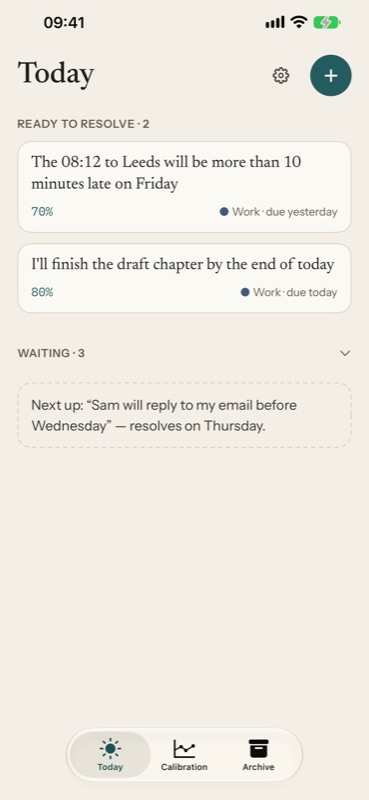
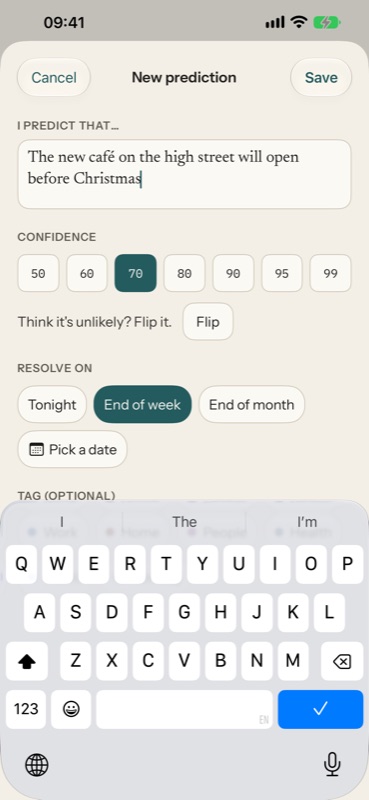
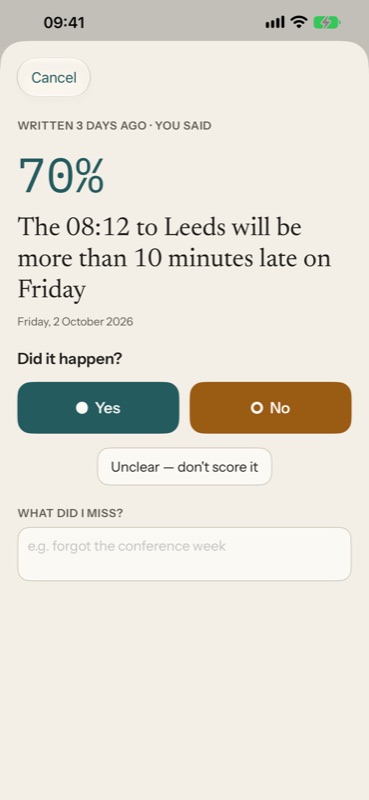
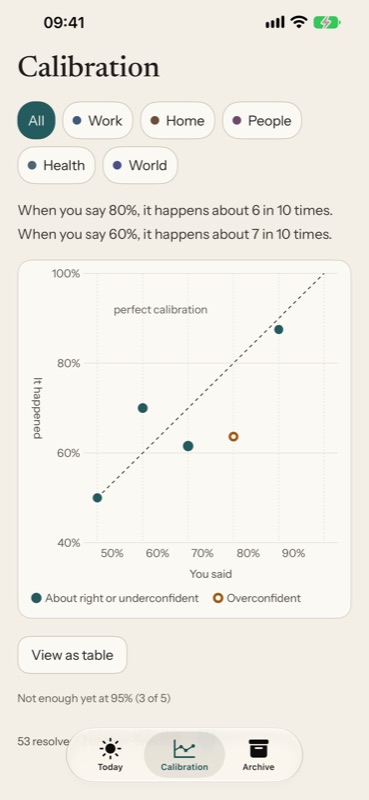
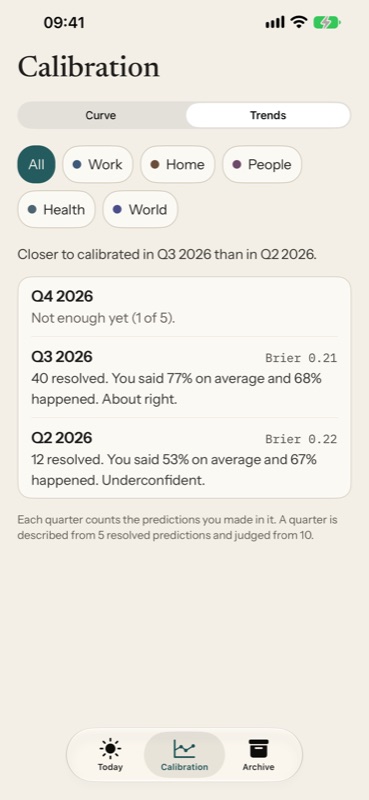
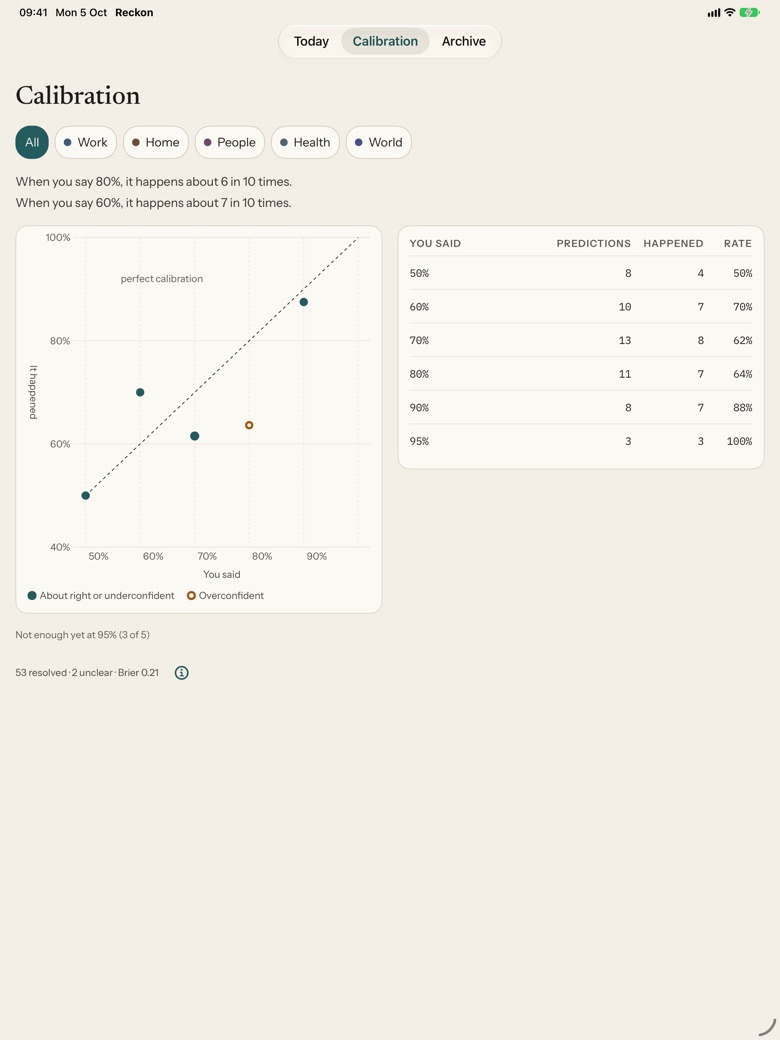
Screenshots are from the iPhone and iPad apps, using example predictions. The Trends view is part of Reckon Plus.
Get it
Coming soonFree to download and use. The free app is complete: predicting, resolving, the calibration curve and table, tags, widgets, reminders and export.
Reckon Plus is a single payment of £7.99, shared with your family, that adds trends by tag over time, a monthly review and year in review, anniversaries of past predictions, patterns in your misses, import from a Reckon export, app lock, accent colours and alternative icons. There is also an optional tip jar (£0.99, £2.99 or £4.99) that unlocks nothing.
Not yet on the App Store, where it will be listed as “Reckon: Prediction Journal”. Prices are as currently planned. An Android version is planned but has not been started.
Questions
Is there an account or a server?
No. Your predictions stay on your device. If you turn on iCloud sync, they are kept in your own private iCloud storage, which we cannot read.
Is there AI in it?
Optionally. On devices with Apple Intelligence, writing help can suggest a clearer wording for a vague prediction, using Apple's on-device model. It is off until you switch it on, it needs no network, and it never suggests a confidence or an outcome.
Will it nag or reward me?
No. There are no streaks, badges, points or confetti. The only notifications are that a prediction is due, and a Monday prompt that is off unless you turn it on.
Is anything held back?
Never your own data. Predicting, resolving, the calibration curve and table, tags, widgets, reminders and export stay free. Reckon Plus adds depth, not access.
Is it accessible?
It is built for VoiceOver, Voice Control, Switch Control, Full Keyboard Access and every text size, and shows outcomes with a shape and a word as well as colour. Our accessibility statement says what has and has not been checked.
User guide
A full guide to Reckon, from your first prediction to Reckon Plus, with answers to the questions people ask most.
Support
Questions, bug reports or accessibility problems: unsayapps@pm.me. In the app, Settings → About Reckon → Get in touch starts an email to us. If Reckon ever crashes, Settings → Problem reports lets you share a technical report if you choose to. It contains no predictions, notes or tags. Many questions are answered in the user guide.
Privacy
Reckon collects nothing. There is no account, no Reckon server, no analytics and no advertising. Your predictions stay on your device, or in your own private iCloud if you turn sync on.